Photo Lab Picture Editor & Art
Screenshots
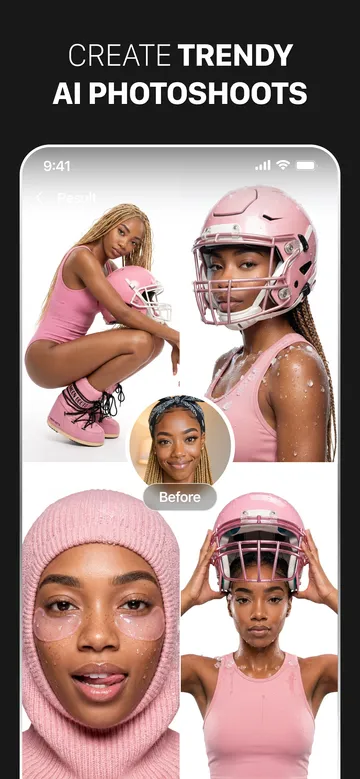
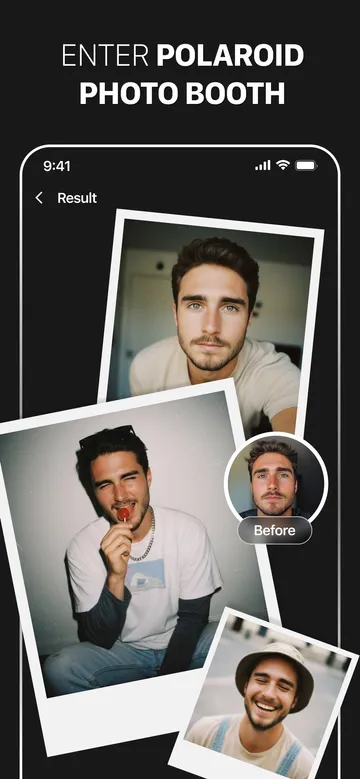
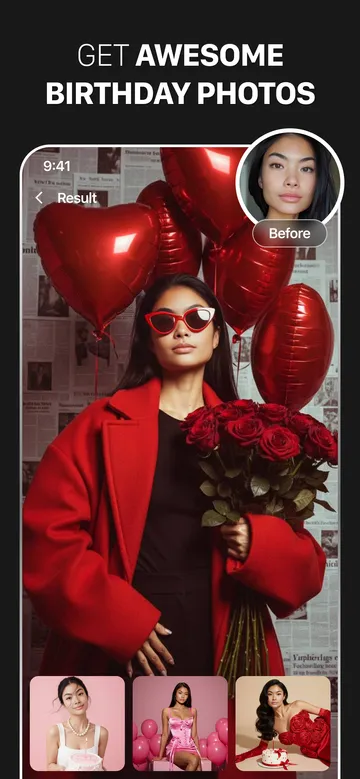
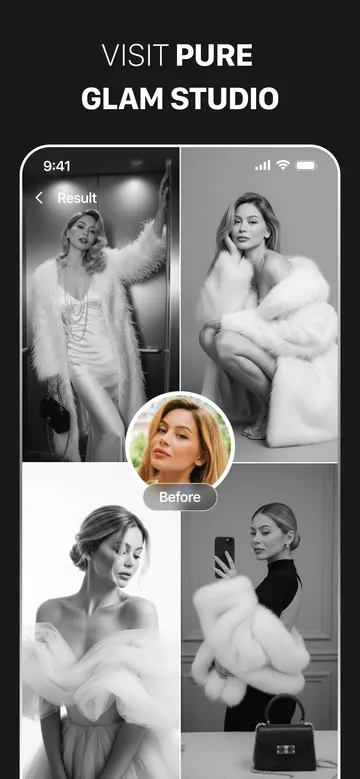
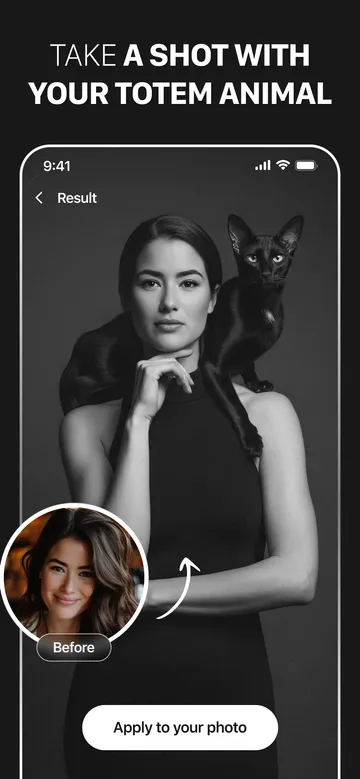
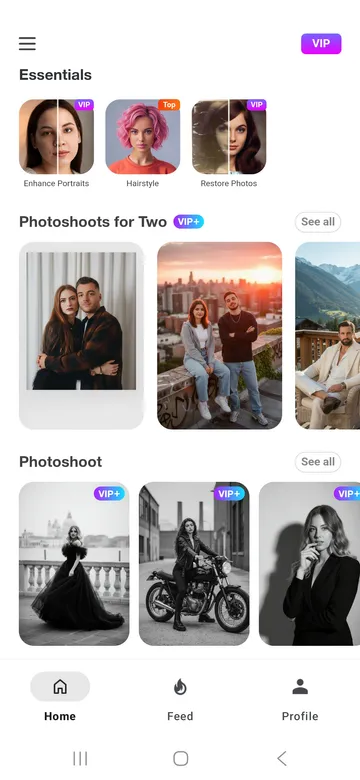
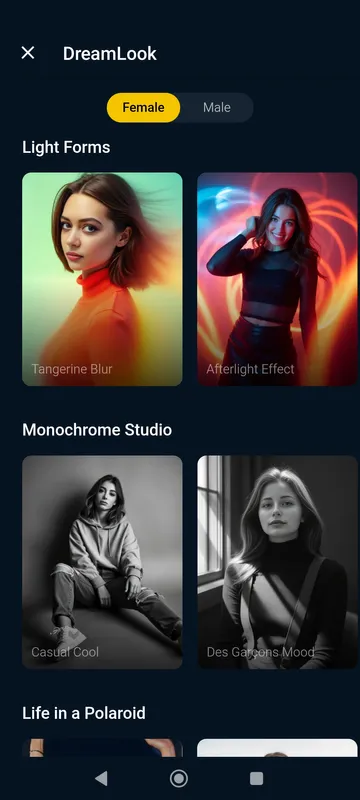
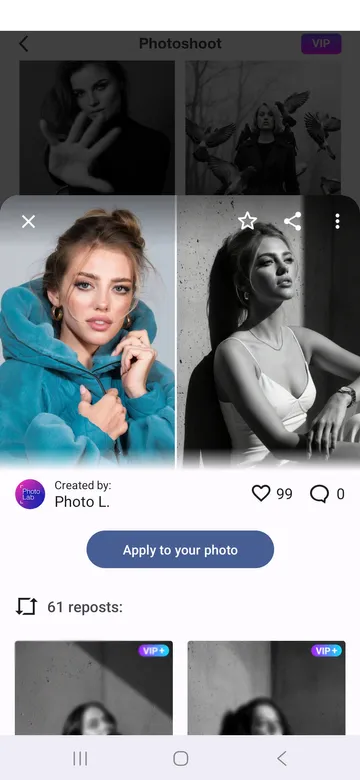
Photo Lab offers an excellent way to modify your pictures without needing complex software. You can change ordinary photos into creative art pieces within a few seconds. The tool provides access to a massive library of visual filters, frames, and montages. Many mobile users prefer Photo Lab because it processes images quickly via internet servers. Therefore, your mobile device does not need heavy processing power. You only need a stable internet connection to unlock creative options. The tool relies on modern cloud technology to apply advanced graphical styles. Beginners can navigate the interface without any prior graphic design knowledge. You just upload your portrait and select a pre-made template. Then, the automated system handles the rest of the work.
The example below demonstrates how the system merges regular portraits with artistic design templates. Notice the smooth color blending on the hair and the crisp tropical borders framing the face.
What makes Photo Lab unique for mobile creators?
Photo Lab contains over one thousand high-quality photo effects. Most graphic editors require manual adjustments for lighting and contrast. However, Photo Lab automates these tasks to save your valuable time. The software identifies facial features automatically using advanced face detection algorithms. This automated process ensures that filters align perfectly with your face.
Furthermore, the creators update the preset collection regularly. You can always find fresh templates for holidays, seasons, and social media trends. The cloud-based system keeps the installation file light. Because of this cloud setup, Photo Lab saves storage space on your smartphone. You get professional results without downloading massive asset files. Users can also combine different effects to generate completely new aesthetics. This combination feature allows you to craft a personalized visual identity.
Exploring the best Photo Lab effects and features
Photo Lab features multiple categories of visual transformations to satisfy every artistic preference. You can explore realistic photomontages that place your face onto interesting objects. For example, you can put your picture on a museum wall or a magazine cover. Then, you can share these fun edits with your close friends.
The tool also includes a massive library of stylish photo filters. These filters can instantly adjust the emotional mood of your picture. Neon glow effects add bright lines and futuristic colors to your portrait. Alternatively, you can use the background replacement tool to change your location. You can move your body from a bedroom to a beautiful tropical beach. The software removes the original background cleanly with a single tap.
How to utilize the Neural Art Styles in Photo Lab
Photo Lab utilizes neural network styles to transform your snapshots into fine art masterpieces. You can choose from over fifty preset artistic styles inspired by famous painters. For instance, you can recreate the iconic brushstrokes of Vincent van Gogh. The system analyzes your original image structures carefully.
Then, it blends those structures with historic oil painting techniques. You can also simulate charcoal sketches, pastel drawings, or watercolor paintings. This creative option gives your social media feed an authentic museum feel. Furthermore, the process takes less than five seconds to complete. You do not need to paint anything manually on the screen. The automated system generates a clean, high-resolution artistic render automatically. Therefore, anyone can become an artist instantly.
Creating stunning face montages with Photo Lab
Photo Lab makes face replacement simple and highly entertaining for all users. The face detection algorithm locates your eyes, nose, and mouth instantly. After that, it integrates your facial details into a chosen character template. You can transform yourself into an astronaut, a historical king, or a cartoon character.
The blending process looks smooth and realistic because of advanced alignment tools. Users often create customized greeting cards for their families using this specific feature. You can add personalized text overlays to match the holiday theme. The tool offers various font styles and color options for your text. Consequently, your final image conveys a warm, customized message. You can save these creations directly to your phone storage.
Simple steps to edit your first image
Editing a picture requires very little effort when you open Photo Lab. You can create a beautiful edit by following a simple procedure. First, you browse the main feed to discover trending styles. Then, you choose a template that matches your creative vision. The tool processes everything automatically once you select your photo.
- Select a template: Browse the feed.Open Photo Lab and look through the trending categories to find a style you like.
- Choose your photo: Gallery or camera.Pick an image from your device storage or capture a new portrait with your camera.
- Process and save: Instant rendering.Let the automated system apply the effects, then save the final result to your gallery.
Tips to get the best results from Photo Lab
Photo Lab performs best when you provide high-quality source images. For the best face montages, use a portrait with clear lighting. Ensure your face looks directly at the camera lens without obstructions. Avoid dark environments because shadows can confuse the face detection system.
Furthermore, look for templates that complement the colors of your original photo. You can combine multiple filters to build a deeper visual atmosphere. For example, apply a structural sketch filter first. After that, add a subtle color overlay to enhance the mood. Experimenting with different template combinations reveals hidden creative potentials. Always check the trending tab to discover new seasonal updates. Regular experimentation will quickly improve your mobile editing skills.
Key Takeaway: Photo Lab relies heavily on cloud computing. Always ensure your Wi-Fi or cellular data connection is active before processing complex artwork templates.
Conclusion
Photo Lab simplifies mobile picture editing by providing thousands of instant templates. The tool removes the need for expensive software and technical design skills. Because it relies on cloud processing, your phone remains fast and efficient. You can easily turn everyday portraits into remarkable artworks. From neural art filters to funny face montages, the creative options are vast. Download the tool today to explore a fun world of visual storytelling. You can share your unique designs with the entire global community.
-
PowerDirector
 Download
PowerDirector - Video Editor
PowerDirector offers an incredible video editing experience...
- VITA – Video Editor & Maker
- Amazon Photos
- CapCut
- TIDAL Music
- Blurrr
- Apple Music
- Photo Editor